March 2026 Release
This release is scheduled for March 4th and is all about bringing more features and options to Hall Pass Plus. Take advantage of the free trial for the rest of the year and check out these exciting new updates!
- Emergency Management
- PBIS Rewards
- Hall Pass
- Preparation & Response Training
- Behavioral Case Manager
- Visitor Management
-
Compass Curriculum
Training Workshops Getting Started On-Demand Release Notes & Updates Data & User Management Compass Curriculum for Students, Staff, & Families Compass Behavior Intervention Compass Mental Health + Prevention Compass for Florida - Character Ed, Resiliency, & Prevention Compass for Texas - Character Ed Analytics & Reporting Additional Resources
- School Check In
- ALICE Training Institute
- Digital Threat Detection
- Anonymous Tip Reporting
- Resources
- Back-to-School
Hall Pass Plus Updates:
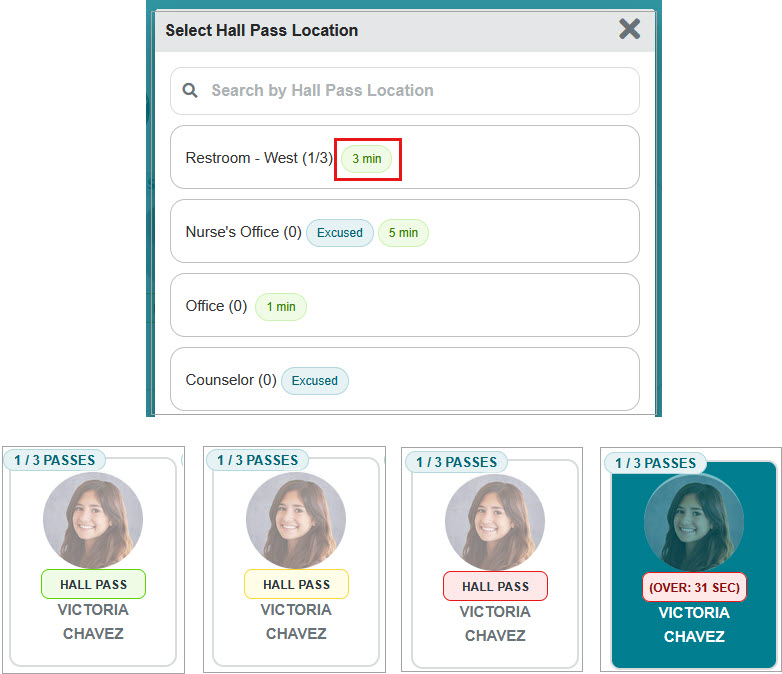
Timed Passes – Locations can be set to have a time limit. The hall pass bubble will change color based on the time remaining (green for the first half of the time, yellow for the second half, and red when over time).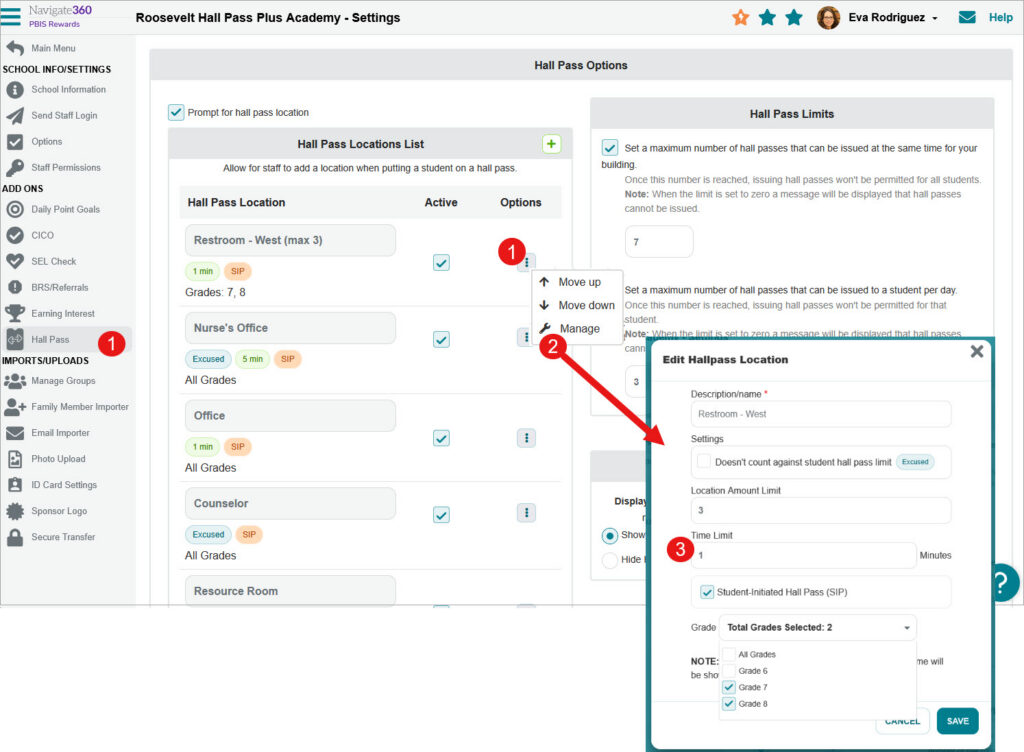
Over Time Notifications – Notifications for hall passes that go over the time limit. When activated, the issuer will receive a notification and staff that are selected (all staff or designated hall monitors).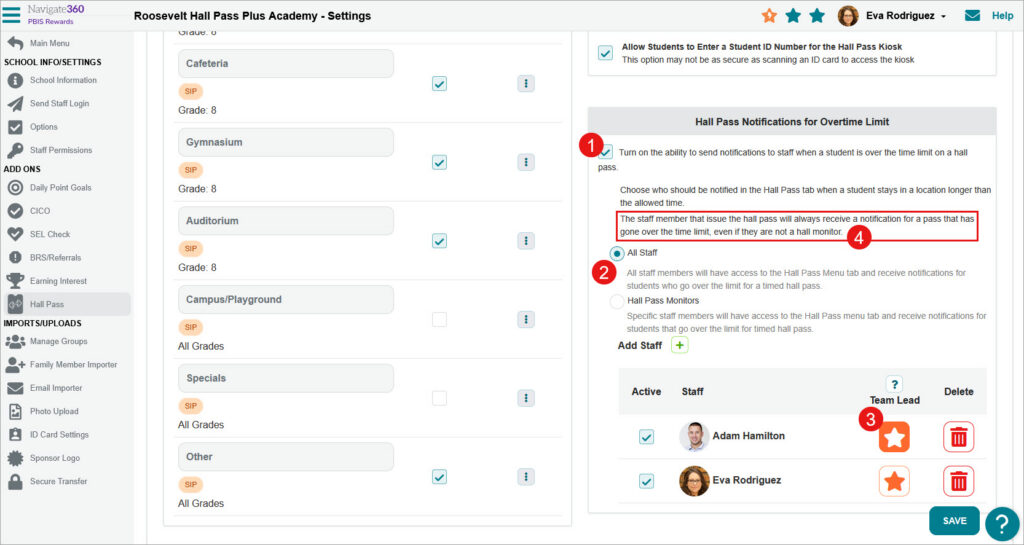
Hall Pass Tab – A Hall Pass tab will be displayed for those staff who receive over time notifications. The hall pass monitor team lead will have access to the Hall Pass Settings from the Hall Pass Tab.
Student-Initiated Passes – Option to turn on the ability for students to start and end passes on their own from the student web portal. Students will need to select a teacher as part of the process. All Staff can be chosen so that all staff is visible for students or select specific teachers to be chosen for student-initiated passes. An ineligible list of students can be added if students abuse the freedom to issue a pass on their own. Specific locations can also be excluded from being started from the student web portal.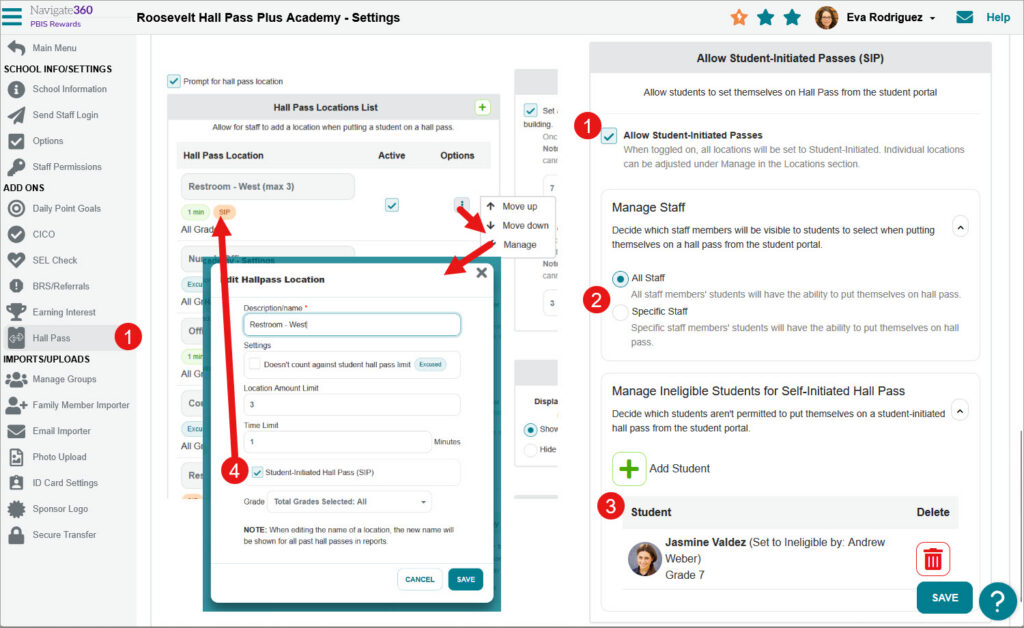
The student process once activated.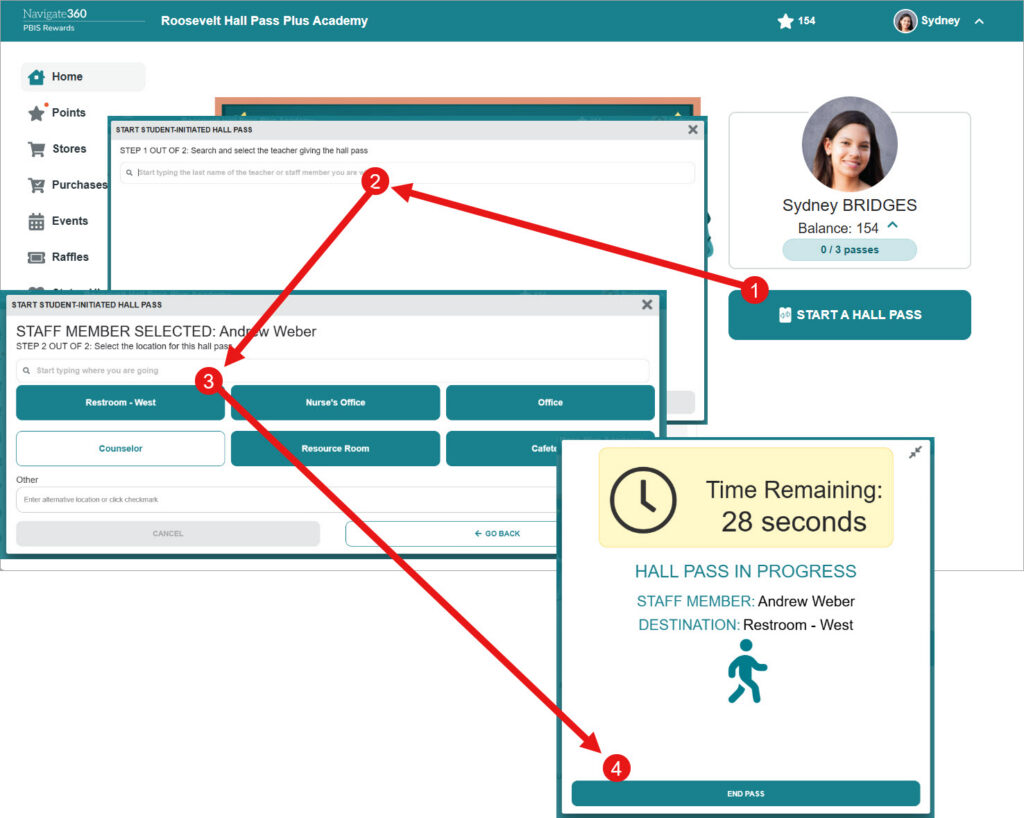
Quiet Times – Admin can create quiet times so that hall passes cannot be issued.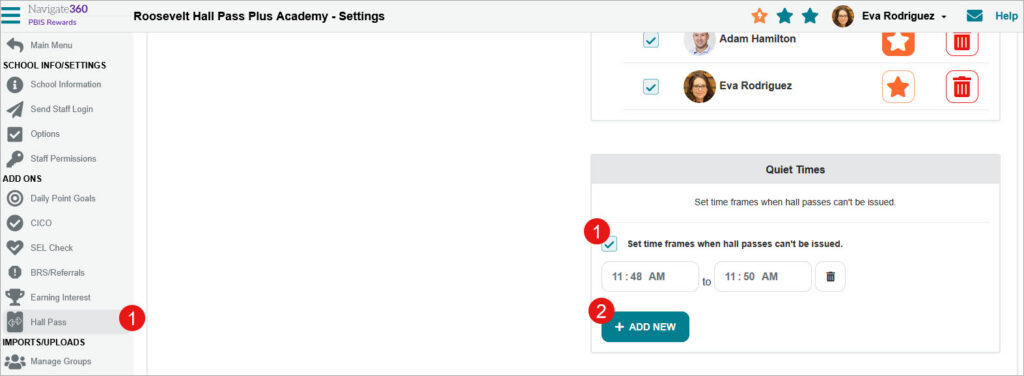
Additional Updates:
–Grade Level Locations: Admin can set locations based on grade level to avoid students being in areas where they shouldn’t be.
–Hall Pass Issuer Display: The issuer of the hall pass is now displayed in more areas on the staff web portal and staff app.
–Reports Updated: Over Time and Total Time are now displayed on the Hall Pass Report. A Student-Initiated Passes filter has been added to the hall pass report that only displays the hall passes that have started from the student web portal. A Make Ineligible button has also been added to that Student-Initiated Passes filter so that students who abuse the feature can be excluded right from the report.
–Balance/Hall Pass Toggle: A toggle has been added to the group page so that staff can switch between displaying the student balance or the hall pass today bubble. In order for this to be shown, the option to show the balance button from the options tab must be set and the option to show the hall pass bubble in the hall pass settings tab must also be set.